
m0NESY CS2 Settings and Crosshair (2026)
Ilya “m0NESY” Osipov is one of the most talented CS2 players in the world. Currently playing as an AWPer for Falcons Esports, he is known for his lightning-fast flicks and incredible mechanical skill – earning a spot in the HLTV top rankings at just 20 years old. He was invited to FPL at only 14, making him one of the youngest players ever to compete at that level. In this official settings breakdown, m0NESY walks through every single setting he uses in CS2 in 2026 – from mouse sensitivity to NVIDIA configuration. Here is everything you need to copy his setup.
m0NESY NVIDIA Settings
m0NESY keeps his NVIDIA settings almost entirely default. In his own words: “I have everything default, I don’t change anything.” The only things he adjusts are:
| Setting | Value |
|---|---|
| Power management mode | Prefer maximum performance |
| Scaling mode | Full Screen GPU |
| Override the scaling mode set by games and programs | Enabled |
Disable Fullscreen Optimizations
Before launching CS2, m0NESY disables fullscreen optimizations through Task Manager. Here is how to do it:
- Open Task Manager
- Find CS2 in the list
- Right click → Properties → Compatibility
- Check “Disable fullscreen optimizations”
- Click Apply
This is the same step covered in our CS2 FPS Boost Guide and is a quick win for reducing input lag.
m0NESY Video Settings
m0NESY plays on a 1280×960 stretched resolution in 4:3 – a classic pro player choice that makes enemy models appear wider and easier to hit.
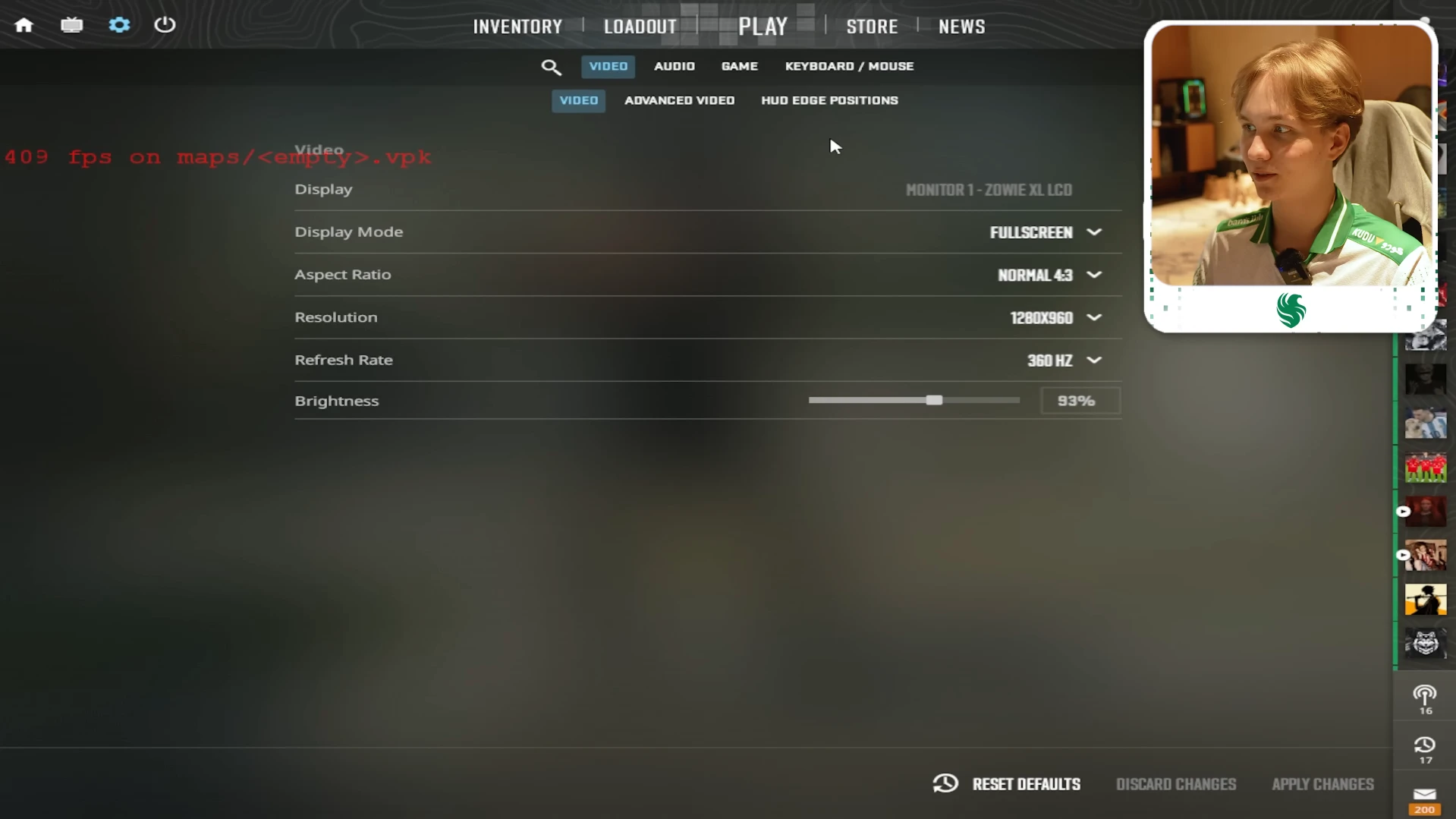
| Settings | Value |
|---|---|
| Display Mode | Fullscreen |
| Aspect Ratio | 4:3 |
| Resolution | 1280×960 |
| Brightness | 93% |
Advanced Video:
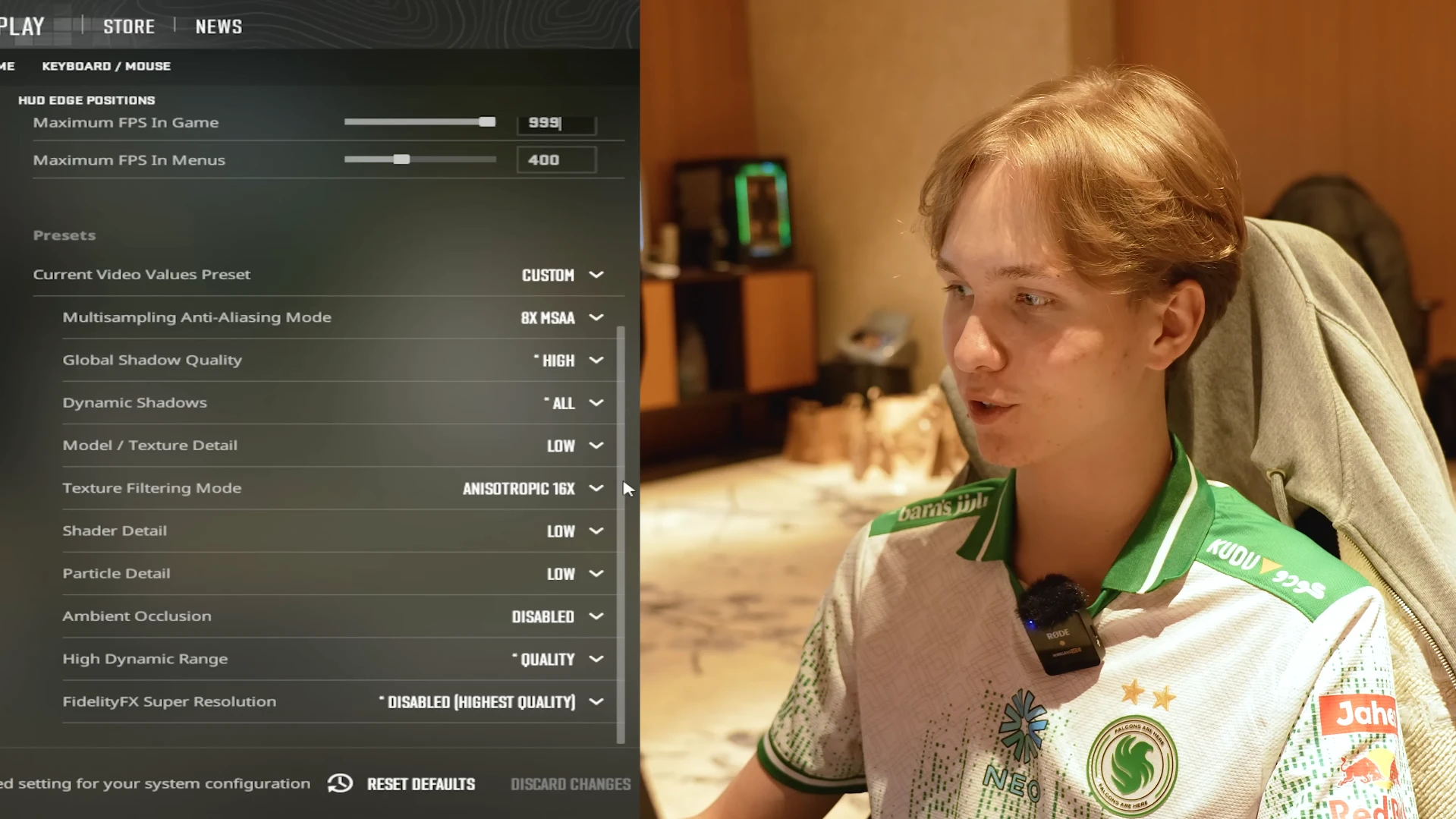
| Setting | Value |
|---|---|
| Boost Player Contrast | Enabled |
| VSync | Disabled |
| NVIDIA Reflex Low Latency | Disabled |
| Maximum FPS In Game | 999 |
| Maximum FPS In Menus | 400 |
| Anti-Aliasing | 8x MSAA |
| Global Shadow Quality | High |
| Dynamic Shadows | All |
| Model and Texture Detail | Low |
| Texture Filtering Mode | Anisotropic 16x |
| Shader Detail | Low |
| Particle Detail | Low |
| Ambient Occlusion | Disabled |
| High Dynamic Range | Quality |
| FidelityFX Super Resolution | Disabled |
The one setting that stands out compared to most pros is the 8x MSAA – most professional players use 2x or 4x. m0NESY’s choice gives him slightly cleaner visuals at the cost of a small amount of GPU performance.
m0NESY Audio Settings
m0NESY keeps all audio settings on Natural. In his words: “Everything is natural, blah blah blah.” He also enables Perspective Correction set to Yes for better positional audio.
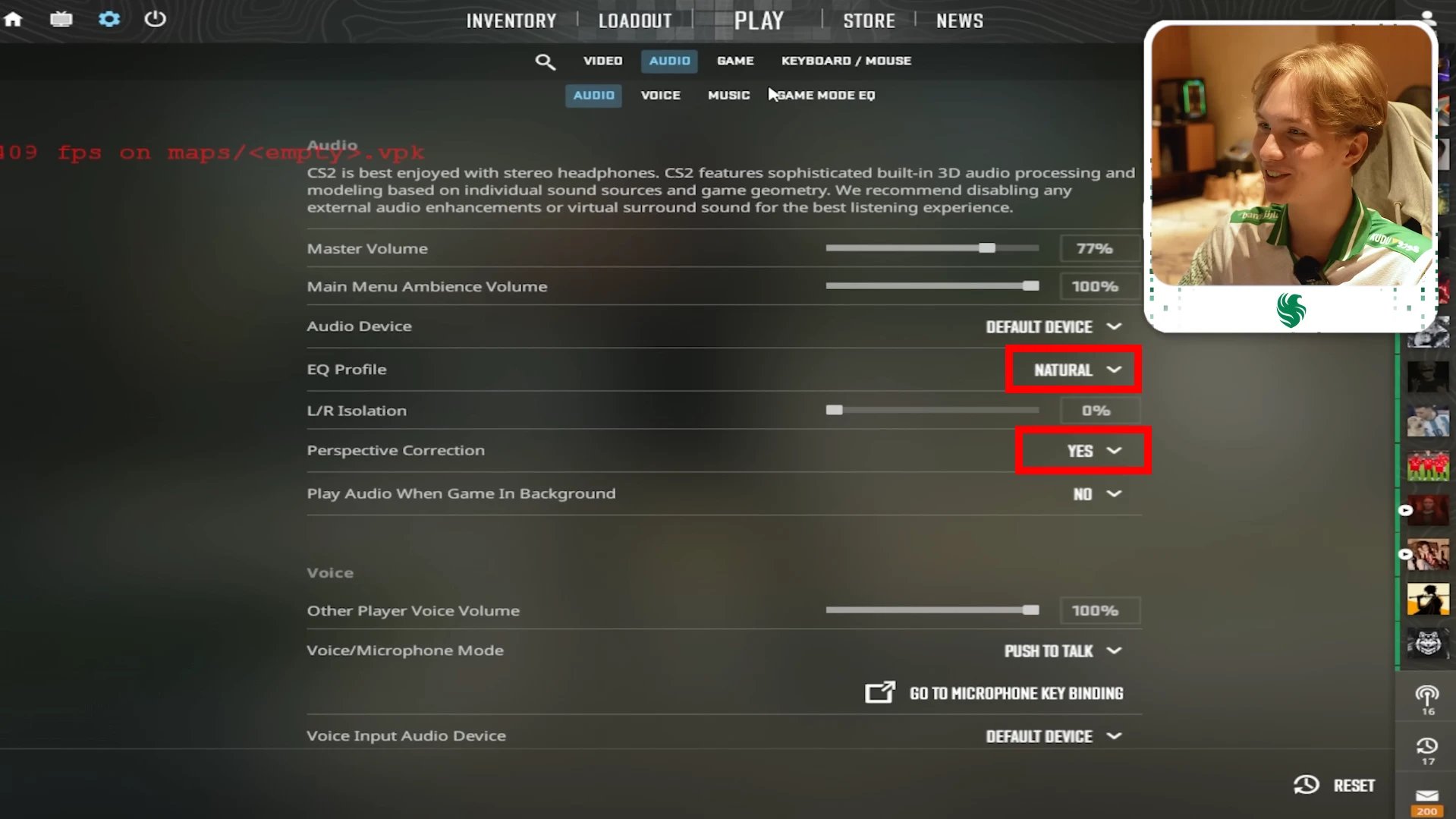
| Setting | Value |
|---|---|
| EQ Profile | Natural |
| Perspective Correction | Yes |
m0NESY Mouse Settings
m0NESY plays on a low eDPI of 920 – lower than most people expect for a player known for fast AWP flicks. The lower sensitivity gives him precise crosshair placement for long-range shots where an AWPer cannot afford to miss.
| Setting | Value |
|---|---|
| Mouse | Logitech G Pro X2 SUPERSTRIKE |
| DPI | 400 |
| Sensitivity | 2.3 |
| eDPI | 920 |
| Zoom Sensitivity | 1 |
| Polling Rate | 4000Hz |
| Windows Sensitivity | 6 |
m0NESY Crosshair Settings
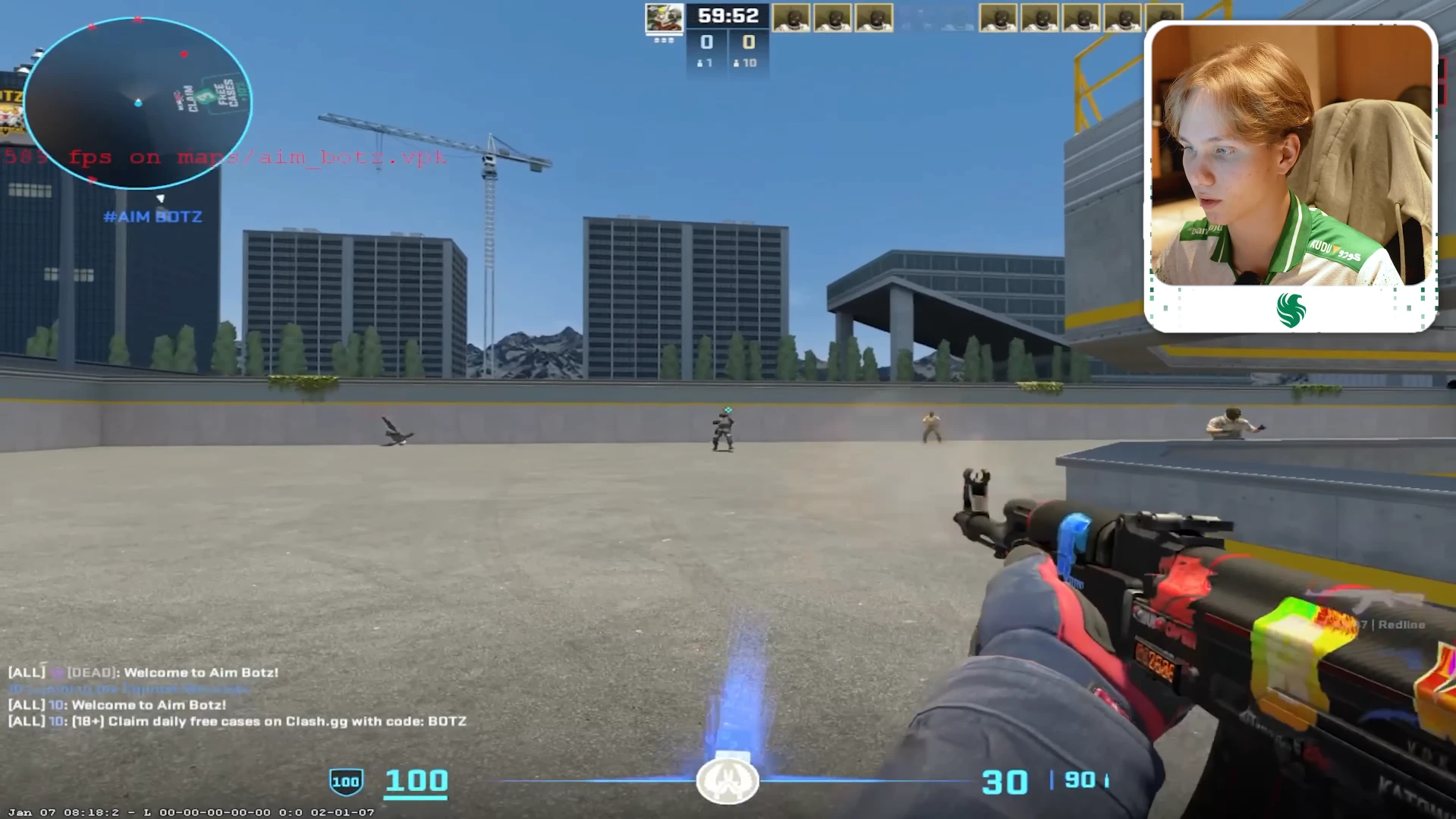
m0NESY uses a simple cyan dot crosshair with no lines – small, clean and always visible regardless of map or background. He mentioned in the video that he sometimes switches to thickness 0 depending on his mood, but the dot style is his default.
| Setting | Value |
|---|---|
| Crosshair Style | Classic Static |
| Friendly Fire Reticle Warning | Always On |
| Follow Recoil | No |
| Center Dot | No |
| Length | 1.0 |
| Thickness | 1.0 |
| Gap | -4.0 |
| Outline | 0.0 |
| Red | 255 |
| Green | 255 |
| Blue | 255 |
| Alpha | 255 |
| T Style | No |
m0NESY Console Settings
From the video, m0NESY shared a few specific console settings he uses:
- cl_interp 0
- rate 786432
- cl_weapon_selection_rarity_color 1
- viewmodel_presetpos 2
- cl_sniper_show_inaccuracy false
For the last command, he mentioned that he does not use the newer Valve sniper accuracy setting, finding it uncomfortable compared to the classic behavior.
Conclusion
m0NESY’s settings are built around precision and performance – low sensitivity for accurate AWP shots, a minimal dot crosshair for clean sightlines, and performance-focused video settings that keep FPS as high as possible. His use of 8x MSAA is the one setting that stands out from the typical pro config, giving him slightly cleaner visuals without a significant FPS cost.
Copy these settings as a baseline, adjust what does not feel right, and stick with it for at least 30 days before changing anything. Consistency in settings is more important than having the perfect config. For more CS2 performance tips check our CS2 FPS Boost Guide.
If you found this guide helpful consider sharing it and join our Discord channel to stay updated with the latest CS2 guides.
m0NESY uses 400 DPI with 2.3 in-game sensitivity, giving him an eDPI of 920. This is a relatively low sensitivity for an AWPer, chosen for maximum precision on long-range shots.
m0NESY plays on 1280×960 in 4:3 stretched mode. The stretched resolution makes player models appear wider, which many pro players prefer for easier target acquisition.
Almost nothing. m0NESY keeps NVIDIA settings at default except for Power Management Mode set to Prefer Maximum Performance, Full Screen GPU scaling and Override Scaling Mode enabled.
m0NESY recommends not blindly copying pro settings. Use them as a starting point, but adjust everything to what feels comfortable for your own playstyle and gear. Consistency matters more than having the exact same settings as a pro.