
kyousuke CS2 Settings, Crosshair and Config (2026)
Maxim “kyousuke” Lukin is one of the most exciting young talents in CS2 right now. At just 17 years old, the Russian rifler for Falcons Esports has been turning heads with performances that draw frequent comparisons to donk – another Spirit Academy graduate who exploded onto the Tier 1 scene. Hand-picked from Spirit Academy to make the step up to the biggest stage, kyousuke brings an aggressive, confident playstyle backed by thousands of hours of competitive experience. In this guide we break down every setting kyousuke uses in CS2 in 2026 – straight from his official settings video and verified against current sources.
kyousuke NVIDIA Settings
kyousuke keeps his NVIDIA settings almost entirely at default – pressing Restore on every section before making any changes. The only two adjustments he makes are:
| Setting | Value |
|---|---|
| Scaling Mode | Full Screen GPU |
| Override Scaling Mode Set by Games | Enabled |
In his own words from the video: “I press restore and I don’t press anything else.” A clean and minimal approach that removes any risk of accidentally misconfigured settings affecting performance.
kyousuke Video Settings
kyousuke plays on 1280×960 in 4:3 stretched – the same resolution choice as most top CS2 professionals. The stretched image makes player models appear wider, improving target visibility in fast duels. He targets 400 FPS at home and 600 FPS at tournaments where higher refresh rate monitors are available.
| Setting | Value |
|---|---|
| Resolution | 1280×960 |
| Aspect Ratio | 4:3 |
| Scaling Mode | Stretched |
| Display Mode | Fullscreen |
| Refresh Rate | 360Hz at home, 500Hz+ at tournaments |
Advanced Video:
| Setting | Value |
|---|---|
| Boost Player Contrast | Disabled |
| VSync | Disabled |
| NVIDIA Reflex Low Latency | Disabled |
| Anti-Aliasing | 8x MSAA |
| Global Shadow Quality | Low |
| Dynamic Shadows | Low |
| Model and Texture Detail | Low |
| Texture Filtering Mode | Bilinear |
| Shader Detail | Low |
| Particle Detail | Low |
| Ambient Occlusion | Disabled |
| High Dynamic Range | Quality |
| FidelityFX Super Resolution | Disabled |
Everything is set to the lowest possible setting for maximum FPS. kyousuke specifically mentioned in the video that shadows on low are fine – “you can see well even if you put it low.” He also enables Damage Prediction set to Yes.
kyousuke Audio Settings
kyousuke removes all audio enhancements and keeps settings clean and simple for clear positional sound.
| Setting | Value |
|---|---|
| Audio Profile | Default |
| Enhancements | Removed |
kyousuke Crosshair Settings
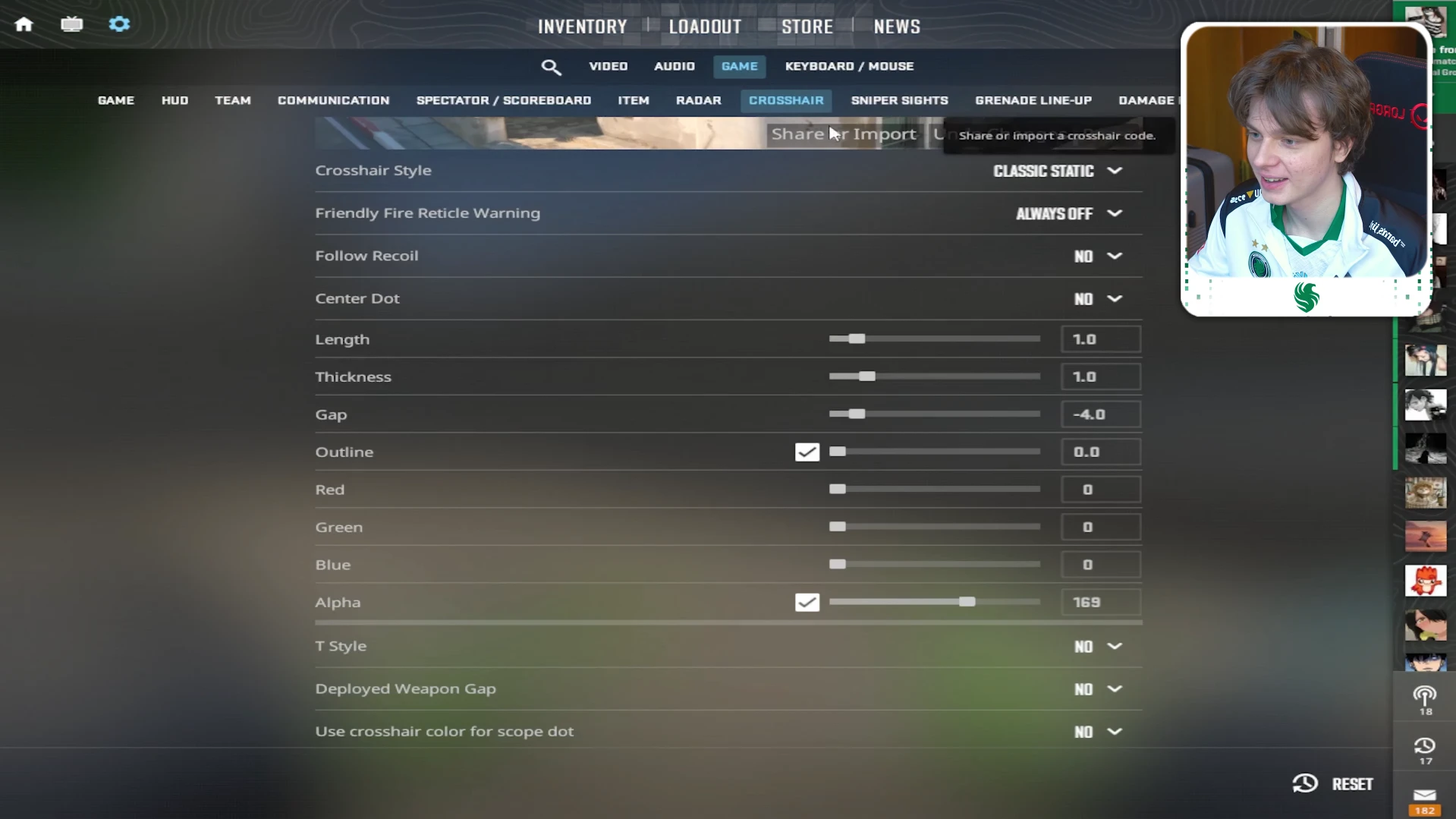
kyousuke uses a small light blue crosshair – simple, high contrast and easy to track against most map surfaces. He mentioned in the video that he changes his crosshair frequently, but this is his current verified setup. His teammate Damjan described it simply: “It’s beautiful, it’s blue.”
| Setting | Value |
|---|---|
| Style | Classic Static |
| Friendly Fire Reticle Warning | Always Off |
| Follow Recoil | No |
| Center Dot | No |
| Lenght | 1.0 |
| Thickness | 1.0 |
| Gap | -4.0 |
| Outline | 0.0 |
| Red | 0 |
| Green | 0 |
| Blue | 0 |
| Alpha | 169 |
| T Style | No |
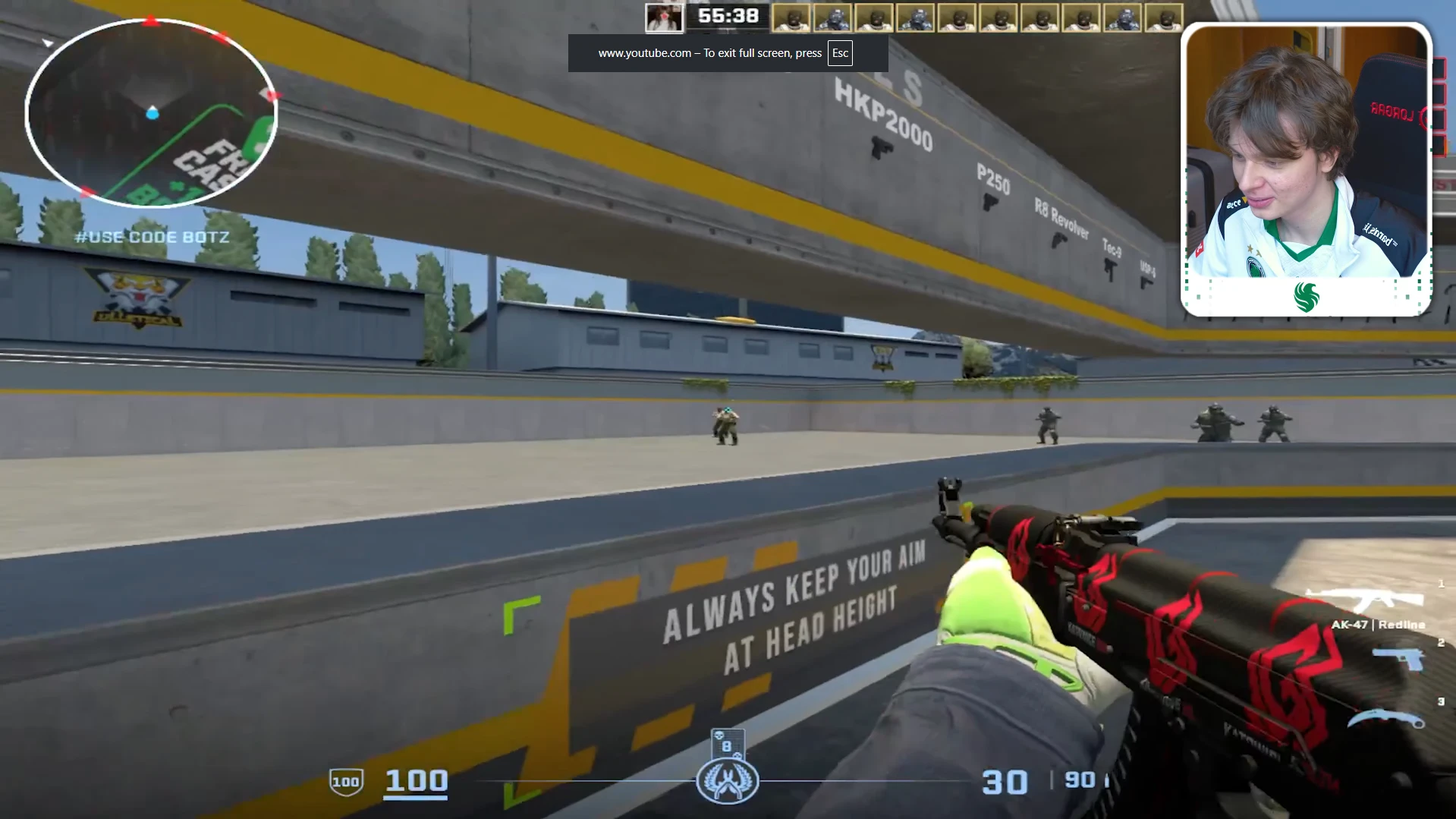
Crosshair console commands:
- cl_crosshairsize 1
- cl_crosshairstyle 4
- cl_crosshairgap -4
- cl_crosshairthickness 1
- cl_crosshaircolor 4
On the topic of crosshairs, kyousuke gave some honest advice in the video: “Crosshair will not make you a pro player. I use this crosshair because it’s nice, because it’s blue, I like it – I can see all people. But crosshair doesn’t mean anything.” Good advice to keep in mind before spending hours tweaking crosshair settings.
kyousuke Radar Settings
kyousuke specifically highlighted his radar setup in the video as a setting he thinks everyone should use. He binds the radar zoom to Q, allowing him to quickly toggle between a close view and a far view. This is especially useful for navigating smokes and checking off-angles in tight areas like vents.
| Setting | Value |
|---|---|
| Radar Centers The Player | Yes |
| Radar is Rotating | Yes |
| Radar HUD Size | Standard |
| Radar Map Zoom | Toggleable via Q bind |
kyousuke’s Advice to Players
kyousuke closed out the video with a piece of advice that cuts straight to the point:
“My advice to players – when you start to play CS2 you just focus on your aim. Aim will help you to achieve other things in CS because you get more confident, you kill people and you’ll play on higher elo against good players. If you just play, you will already understand something.”
Simple, direct and genuinely useful – especially for newer players who overthink settings and strategies before building the fundamentals.
Conclusion
kyousuke’s settings are clean, minimal and performance-focused – exactly what you would expect from a 17 year old who has spent his entire life in Counter-Strike.
The most unique tip from his video is the radar zoom bind – a small quality-of-life change that actually makes a real difference in competitive play. Set it up and try it for a few sessions. For more performance tips check our CS2 FPS Boost Guide. If you want to see m0NESY’s settings for comparison, check our m0NESY CS2 Settings guide.
For buying or selling CS2 skins check Skinport or CSFloat.
If you found this guide helpful consider sharing it and join our Discord channel to stay updated with the latest CS2 guides.
kyousuke plays on 1280×960 in 4:3 stretched mode – the same resolution used by most professional CS2 players for wider player models and improved target visibility.
kyousuke recommends binding radar zoom to Q so you can quickly toggle between close and far radar views during a round. This is particularly useful for navigating smokes and checking vents and tight areas on maps like Nuke.
kyousuke says to focus on aim above everything else. Good aim builds confidence, gets you more kills and puts you in lobbies against better players where you naturally learn faster. Settings and strategy come later – aim comes first.